







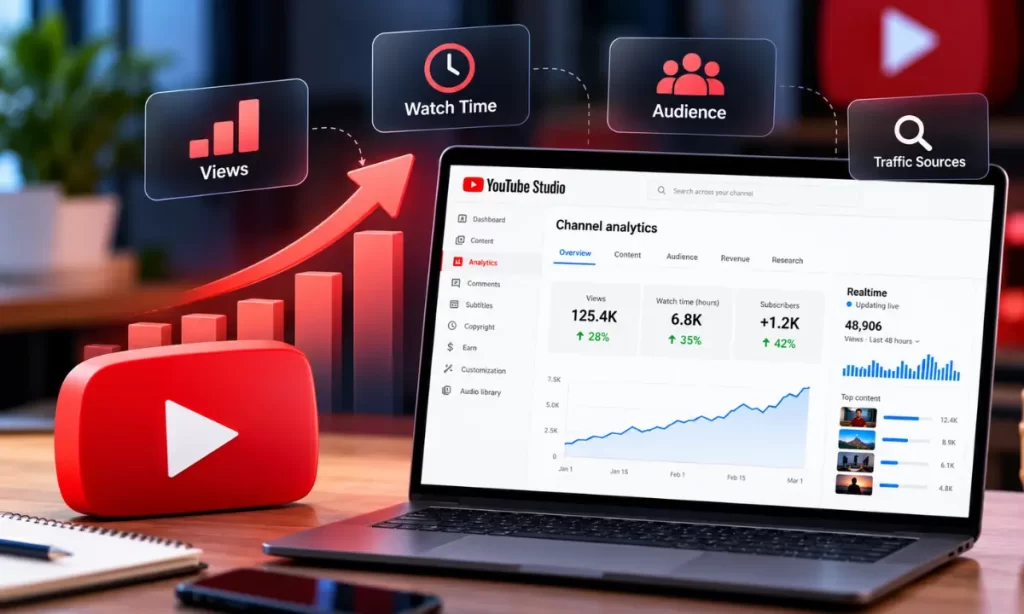
YouTube is one of the most powerful platforms for content creators, businesses, and marketers looking to build an audience online. However, consistently uploading videos does not always guarantee growth. To grow your channel effectively, you need to understand what your audience watches, how viewers discover your content, and why some videos perform better than others.
This is where YouTube Analytics becomes essential. It provides valuable insights into video performance, audience behaviour, engagement, and channel growth. By analyzing these metrics, creators can make data-driven decisions, improve their content strategy, and attract more viewers.
In this guide, we will explain how to use YouTube Analytics to grow your channel, which metrics matter most, and how to turn performance data into actionable strategies.
What Is YouTube Analytics?
YouTube Analytics is a free reporting tool available through YouTube Studio. It helps creators understand how their videos and channels perform over time.
The platform provides information about views, watch time, impressions, click-through rates, subscribers, audience demographics, traffic sources, and engagement. These insights help you identify successful content, understand your audience’s interests, and discover opportunities for improvement.
To access YouTube Analytics, follow these steps:
- Open YouTube Studio and sign in to your account.
- Select Analytics from the left-hand menu.
- Explore the Overview, Content, Audience, and Research sections available to your channel.
- Select a date range to compare performance across different periods.
- Review individual video reports to understand which content performs best.
Regularly reviewing these reports helps you understand what works and where your channel needs improvement.
1. Track Views and Watch Time
Views and watch time are two important metrics for evaluating your YouTube content.
Views indicate how often people watch your videos, while watch time measures the total time viewers spend watching your content. A video that attracts viewers and keeps them engaged can be more valuable than one that receives clicks but loses viewers quickly.
To use these metrics effectively, identify videos with the highest views and watch time. Look for common characteristics, such as the topic, video length, introduction, presentation style, and format.
For example, if tutorials consistently generate more watch time than promotional videos, consider publishing more educational content.
Actionable tip: Compare your best-performing videos and identify the topics and formats that consistently attract viewers.
2. Analyze Impressions and Click-Through Rate
YouTube impressions measure how often your video thumbnails are shown in eligible places on YouTube. The impressions click-through rate (CTR) indicates the percentage of those impressions that resulted in views.
A low CTR may suggest that your title or thumbnail is not compelling enough for the audience seeing it. However, CTR varies by traffic source, audience, and the number of impressions, so it should not be evaluated in isolation.
Improve your CTR by creating clear, relevant titles and attractive thumbnails. Make sure your thumbnail communicates the video’s main benefit without misleading viewers.
For example, instead of using a generic title such as “YouTube Tips,” consider “How to Grow a YouTube Channel in 2026.”
Actionable tip: Test different thumbnail concepts and title approaches over time, and compare their performance while considering changes in impressions and traffic sources.
3. Understand Audience Retention
Audience retention shows how well your video holds viewers’ attention. It helps you identify the moments when viewers continue watching, skip ahead, or leave the video.
If viewers leave within the first 30 seconds, your introduction may be too long or may not deliver what the title promises.
To improve audience retention:
- Start with a clear hook that explains what viewers will learn.
- Deliver the promised information early.
- Remove unnecessary introductions and repetitive explanations.
- Use examples, demonstrations, visuals, and storytelling.
- Keep the pacing appropriate for your topic.
- Review retention graphs to identify significant drops and successful moments.
For example, if viewers leave whenever a video switches to a lengthy explanation, consider simplifying that section or adding a practical demonstration.
4. Identify Your Best Traffic Sources
The Traffic Sources report explains how viewers discover your videos. Common sources include YouTube Search, Suggested Videos, Browse Features, external websites, and channel pages.
Understanding these sources helps you determine which discovery strategies are working.
If YouTube Search generates significant traffic, focus on relevant search queries, descriptive titles, useful video descriptions, and content that directly answers viewers’ questions.
If Suggested Videos bring in more viewers, examine the topics, formats, and audiences associated with your successful videos. Develop related content that provides a natural next step for viewers.
External traffic can reveal opportunities to promote videos through blogs, websites, newsletters, and social media.
Actionable tip: Review traffic sources regularly and prioritize the channels that bring relevant viewers who continue watching your content.
5. Learn About Your Audience
The Audience report provides insights into the people watching your videos. Depending on the report and available data, you may see information about returning viewers, new viewers, age ranges, geographic locations, and viewing habits.
These insights can help you create content that better matches your audience’s interests.
For example, if your channel attracts viewers interested in digital marketing tutorials, you could publish videos about keyword research, technical SEO, content marketing, and analytics.
You can also use audience activity reports, where available, to inform your publishing schedule. Treat these insights as a starting point and test different upload times rather than assuming one schedule will always perform best.
Actionable tip: Build your content calendar around audience interests, recurring questions, and topics that have already demonstrated demand.
6. Monitor Subscriber Growth
Subscriber growth helps you understand which videos encourage viewers to follow your channel.
In YouTube Analytics, review subscribers gained and lost, along with the content associated with those changes. Compare videos that attract subscribers with videos that receive views but generate fewer subscriptions.
Videos that solve specific problems, provide consistent value, or introduce a clear content series may encourage viewers to return.
Include a natural call to action when appropriate. Explain what viewers can expect from your channel rather than simply asking everyone to subscribe.
For example, a digital marketing channel could invite viewers to subscribe for regular SEO tutorials, YouTube growth strategies, and practical marketing guides.
7. Use Research to Discover Content Ideas
Publishing content that matches audience demand is essential for sustainable channel growth.
Use YouTube’s Research features, where available, to explore search interests and identify topics your audience may want to learn about. You can also review search terms, audience questions, competitor content, and recurring themes in your niche.
Create a list of related topics and organize them into content clusters. For example, a YouTube growth cluster could include:
- How to Start a YouTube Channel
- How to Write YouTube Video Titles
- How to Create Better Thumbnails
- How to Improve Audience Retention
- How to Use YouTube Analytics
- How to Increase YouTube Views
For additional practical strategies, explore these 10 Tips to Increase YouTube Views.
Publishing connected videos helps viewers explore related subjects and gives your channel a more consistent content direction.
8. Compare Video Performance Over Time
Avoid judging a video only by its first few hours of performance. Some videos gain traction gradually through search results and recommendations.
Use YouTube Analytics to compare similar videos over consistent time periods. For example, compare the first seven days after publication for each video rather than comparing a newly published video with one that has been online for several months.
Evaluate views, watch time, CTR, audience retention, subscribers gained, and traffic sources together.
This approach helps you identify repeatable patterns and understand whether a content change has improved performance.
Remember that seasonal demand, competition, topic popularity, and distribution can also affect results.
9. Measure Engagement and Viewer Satisfaction
Likes, comments, shares, and other engagement indicators can help you understand how viewers respond to your content. However, no single engagement metric provides a complete picture of performance.
Read comments to discover questions, suggestions, and topics that viewers want you to cover next. Responding to relevant comments can also help build a stronger community.
Consider creating follow-up videos based on recurring questions or turning useful discussions into a series.
Pay attention to the relationship between engagement and watch time. A video with fewer views may still provide valuable insights if it attracts an interested audience and generates meaningful discussion.
10. Create a Monthly YouTube Analytics Action Plan
Data becomes useful when it leads to consistent improvements. Instead of checking Analytics without a clear objective, follow a monthly review process.
Week 1: Review performance. Identify your top videos, traffic sources, and audience retention patterns.
Week 2: Improve existing content. Update titles and thumbnails where appropriate, strengthen descriptions, and organize related videos into playlists.
Week 3: Publish targeted content. Create videos around audience questions, proven topics, and gaps in your existing content.
Week 4: Evaluate results. Compare performance against previous periods and document what worked, what did not, and what you will test next.
Choose a small number of meaningful goals, such as improving retention, increasing returning viewers, or growing subscribers. Your targets should reflect your current channel performance rather than arbitrary industry benchmarks.
Common Mistakes to Avoid When Using YouTube Analytics
Many creators struggle to grow because they misinterpret performance data. Avoid these common mistakes:
- Focusing only on views: Watch time, retention, subscribers, and traffic sources provide important context.
- Changing too many things at once: Test titles, thumbnails, or content formats systematically.
- Ignoring audience retention: High initial interest is less valuable if viewers leave quickly.
- Copying competitors blindly: Use competitor research for inspiration, but create content that serves your own audience.
- Expecting instant results: Sustainable growth requires experimentation, consistency, and time.
- Using misleading titles: Clickbait can disappoint viewers and damage trust.
A balanced approach helps you make informed decisions without reacting to every short-term fluctuation.
Conclusion
YouTube Analytics is more than a reporting dashboard. It is a practical tool for understanding your audience, improving content quality, and building a sustainable channel growth strategy.
By monitoring views, watch time, impressions, CTR, audience retention, traffic sources, and subscriber growth, you can identify what works and make better decisions about future videos.
The key is to review your performance consistently, experiment with improvements, and learn from the results. Over time, this data-driven approach can help you attract relevant viewers, increase engagement, and develop a stronger YouTube presence.
Whether you are a beginner, an established creator, or a business using video marketing, using YouTube Analytics strategically can turn your content efforts into measurable progress.